


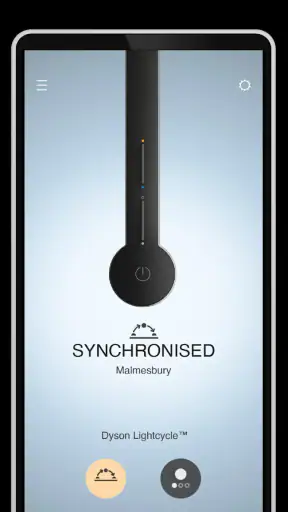
I approached MyDyson™ as more than a remote control for household equipment. It is a lifestyle app from Dyson Ltd that brings compatible Dyson products, guidance, and product management into one place. In everyday use, its value depends less on how many screens it contains and more on whether those screens help you understand what your machine is doing without adding another layer of effort.
That distinction matters for people with different abilities, busy households, and anyone who finds small controls or complicated menus tiring. I found the app most useful when I wanted a clearer view of a Dyson device, needed help with a routine task, or wanted product information close at hand instead of searching through separate manuals. It is free, rated for Everyone, and available for devices running Android or iOS versions supported from OS 10 onward.
How MyDyson™ feels to use in real life
Readability and navigation without unnecessary hunting
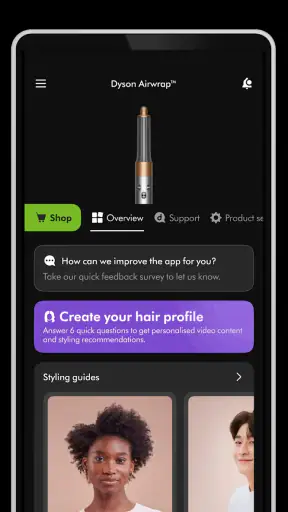
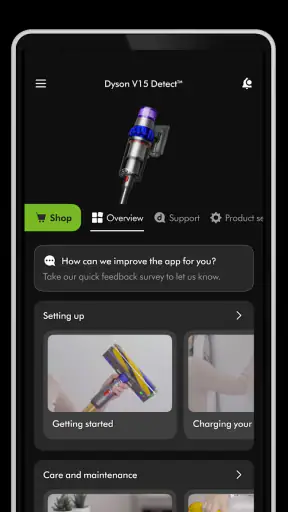
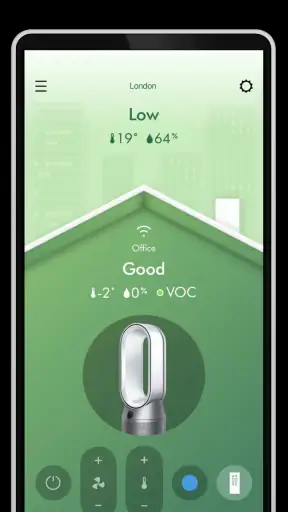
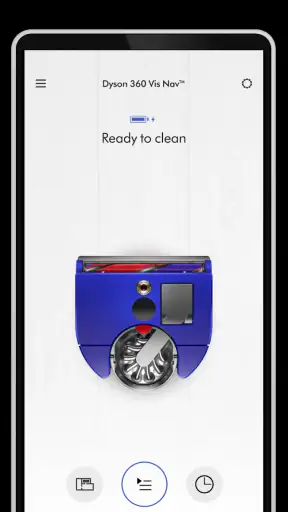
The first thing I noticed is that the app is organized around Dyson products rather than around a broad collection of lifestyle topics. That focus is helpful: once the relevant device is connected or selected, the experience feels more purposeful than a general smart-home dashboard. I can move from a product view toward controls, guidance, or support-related information without having to remember which separate Dyson app handles which task.
For a new owner, that single destination is a genuine advantage. Instead of keeping a paper manual nearby, I can use the app as a reference point when I am unsure about a setting or want to understand how a product should be used. The benefit is especially clear with equipment that has several modes or care steps. A simple explanation on the phone can be easier to revisit than a printed booklet stored in a drawer.
Navigation is not completely frictionless, though. A connected-product app naturally asks me to identify the right machine and move through device-specific areas. If I own more than one Dyson product, the experience can become less immediate because I have to pay attention to which device is currently selected. That is not a serious flaw, but it means the app rewards a little organization, especially in a family home where several people may use the same account or phone.
Readability also depends on the phone itself. I found the app easier to use on a larger display, where product details and controls have more breathing room. Someone with low vision, hand tremors, or difficulty targeting small touch areas should check whether the phone’s own text enlargement, display scaling, magnification, and screen-reader settings make the interface comfortable. Those operating-system tools can improve access, but they cannot automatically fix every layout or control that was designed with a smaller visual target in mind.
One practical habit helped me: I kept the app in a familiar place on my phone and opened it from the same route each time rather than searching for it when I needed help. That sounds minor, but predictable access reduces mental load. It is useful for anyone who shares device care with another person, including a family member who may remember the cleaning routine better when the instructions are always found in one known location.
Motor effort, sound, and sensory comfort
The app can reduce the need to walk back and forth to a Dyson product, depending on the model and the task. That can matter when a machine is in another room, positioned awkwardly, or difficult to reach physically. For someone with limited mobility or fatigue, checking product information from a phone may be easier than repeatedly bending, lifting, or reaching for the device itself.
There is an important boundary here: the app does not remove the physical work involved in every household task. Emptying a vacuum, washing a filter, moving an appliance, or attaching an accessory still requires hands-on action. I would treat MyDyson as a way to reduce some interaction with the controls, not as a replacement for physical maintenance. That distinction is easy to miss if you expect the phone to handle the entire job.
For users who are sensitive to sound, the phone-based experience can be calmer than standing beside a running machine while trying to read its controls. I can review information away from the motor and return to the product only when necessary. On the other hand, any alert, audio feedback, or change in the physical device’s behavior should be considered in the context of the user’s sensory preferences. I would not rely on sound alone for an important status change; visual checking on the phone or directly on the product is the safer routine.
People with motor difficulties may also appreciate the ability to prepare before approaching the appliance. I can read the relevant guidance first, gather what I need, and then complete the physical step in one visit. That is a small but meaningful workflow improvement. It avoids the common pattern of starting a task, discovering that another accessory or cleaning step is needed, and making several trips between the device and storage area.
At the same time, a touchscreen is not automatically easier than a physical button. Users who struggle with precise taps, accidental touches, or holding a phone while moving around may prefer the controls on the product itself. MyDyson works best when the phone is stable and within comfortable reach. A stand, a larger phone, or voice features provided by the operating system may help, but those are personal workarounds rather than abilities I would attribute directly to the app.
Situational access for homes, routines, and shared care
The strongest use case I found was a busy evening routine. Imagine coming home with a dusty floor, a child needing attention, and a Dyson device that has not been used for a while. Instead of stopping to remember which mode or care instruction applies, I can open the app, check the product area, and get oriented before starting. The app does not make the household task disappear, but it makes the decision-making part less scattered.
It can also support people who are learning to use a Dyson product for the first time. A partner, older relative, or housemate does not need to depend entirely on another person’s memory of the instructions. Having product guidance in the same app creates a more independent route to basic information. That is particularly useful in homes where one person usually manages appliances but someone else needs to take over temporarily.
For users who cannot easily read a printed manual, the phone offers a more adjustable format. I can change the phone’s display settings, use magnification, or listen through built-in accessibility tools where the interface permits it. Again, the result varies by device and operating system, but digital information is often easier to enlarge or revisit than small print.
Another useful scenario is troubleshooting at the moment a problem appears. Rather than guessing from a blinking light or an unfamiliar behavior, I can consult the product section while standing near the machine. This is more practical than searching the web for a generic Dyson instruction and hoping it matches the exact model. Keeping the product context together is one of the app’s clearest strengths.
There is a trade-off for people with unreliable internet access or limited phone data. A connected experience is most helpful when the phone can reach the information it needs and the user can sign in or identify the product without difficulty. If the app is unavailable at the moment a task arises, a saved manual or a simple note with essential care steps remains a sensible backup. I would not make the app the only source of instructions in a home where connectivity is inconsistent.
Where the inclusive experience still has barriers
The app’s accessibility should not be judged only by whether it opens and displays information. The full experience includes product setup, device selection, reading instructions, managing permissions or connections, and completing physical tasks afterward. Any one of those steps can become a barrier for a person with limited dexterity, reduced vision, memory difficulties, or sensory sensitivities.
Setup is the point where patience may be most necessary. A user who is comfortable with smart devices may find the process ordinary, while someone who does not regularly connect household products to a phone may need assistance. I would recommend setting it up during a calm moment rather than when the vacuum is already needed or when a filter requires immediate attention. That simple timing choice prevents the app from becoming an extra source of pressure.
The app also assumes that the user has access to a compatible Dyson product and a reasonably usable smartphone. That makes it less suitable for someone who wants a general household-control app across many brands. If your home includes appliances from different manufacturers, a broader smart-home platform may offer a more unified view, while MyDyson remains the more focused choice for Dyson-specific guidance and management.
There is another limitation for people who prefer very direct interfaces. A physical control can be quicker when I already know exactly what I want to do. Opening a phone, finding the app, selecting the product, and reaching the right screen is unnecessary for a simple action that is already available on the machine. I see the app as most valuable for information, remote convenience, and product context—not for replacing every button press.
Privacy and comfort expectations also differ from person to person. Some users are happy to keep household products connected; others prefer minimal digital involvement. MyDyson is not the right fit if you strongly dislike managing appliances through a phone or do not want another account-based product experience in your routine. In that case, the device’s built-in controls and printed or saved instructions may feel more straightforward.
My advice is to test the app with the accessibility features already built into your phone before depending on it. Try larger text, screen magnification, voice interaction, and display contrast options, then check whether you can complete the whole path from opening the app to finding guidance for your product. This is more revealing than judging accessibility from the first screen alone.
What the numbers suggest about its place in the category
MyDyson has reached more than five million installs and holds an average rating of 3.6 from about thirty-three thousand ratings. That combination tells me it is widely used but not universally effortless. I would read the rating as a reason to keep expectations practical: the app can be useful, yet the quality of the experience may depend on the Dyson product, phone, connection, and the user’s preferred way of working.
It has been available since March 30, 2016, and the current version is 6.4.26320. The long presence in the lifestyle category gives it a mature role in Dyson’s product ecosystem, but longevity alone does not guarantee that every screen will suit every user. I would still judge it by the specific task I need to perform and by how comfortably I can navigate it.
Compared with a printed manual, the app is easier to keep nearby, revisit, and potentially adapt through phone settings. Compared with a general smart-home app, it is more focused on Dyson equipment and its related guidance. Compared with using the product’s physical controls, it offers more context but can add steps. Those are the three comparisons that matter most, and none makes the app the universal winner.
For someone buying a Dyson product and wanting one official place to learn its routines, MyDyson is a sensible companion. For someone with no Dyson equipment, a mixed-brand home, or a strong preference for offline and physical controls, it is harder to justify. The free price removes the financial risk of trying it, but time and attention are still costs, especially for users who need a very simple, predictable interface.
My inclusive verdict
I came away viewing MyDyson as a helpful support layer rather than a complete accessibility solution. Its best contribution is organization: product information, guidance, and management sit together instead of being scattered across manuals, browser searches, and memory. That can make everyday care more independent for some users and can reduce physical trips to a device for others.
The most inclusive way to use MyDyson is as part of a flexible routine, not as the only route to control. Keep the product’s physical controls available, save essential instructions when possible, and adjust the phone for the person using it. If a family member needs help with setup, do that once together and then let them try the routine independently. This approach preserves choice instead of assuming that a phone is always easier.
I would recommend it to Dyson owners who want clearer product guidance, who manage several household routines, or who benefit from checking information away from the appliance. I would be more cautious for users who need large, highly simplified controls, dependable offline access, or a single app for appliances from many brands. In those situations, the usual alternatives may be more comfortable.
Overall, MyDyson earns its place when it removes uncertainty and prepares me for the physical task ahead. It is less convincing when it merely duplicates a button I can reach faster. As a free lifestyle app from Dyson Ltd with an Everyone age rating, it is worth trying if you already own compatible Dyson equipment, but the right verdict depends on the user’s abilities, environment, and willingness to make the phone part of household care.


